The free resume builder that keeps your data private
Type your details into a simple form and watch a properly typeset resume take shape next to it, live. When it looks right, download the PDF. Nothing you write ever leaves your computer.
- No sign-up
- No watermark
- No credit card
- Unlimited resumes
- Instant PDF download
Resume ready in about ten minutes
1. Fill in the form
Name, jobs, education, skills. Drag sections into whatever order you like, and add custom ones for anything we didn't think of.
2. Watch it build itself
The preview updates as you type. No "generate" button, no waiting. What's on screen is pixel-for-pixel the PDF you'll get.
3. Download and apply
One click for a crisp, print-ready PDF, ready to send with your next application.
Ten templates, one click apart
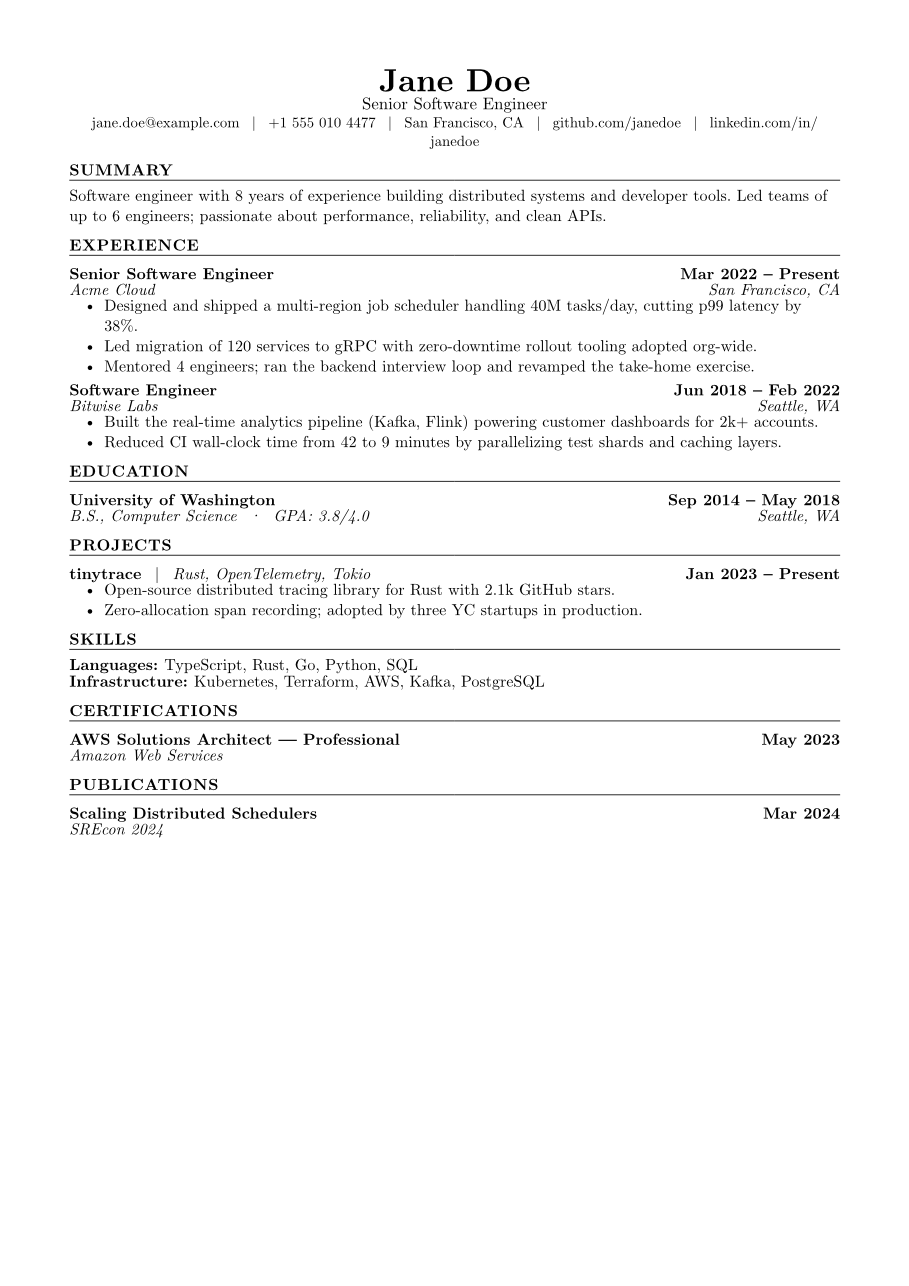
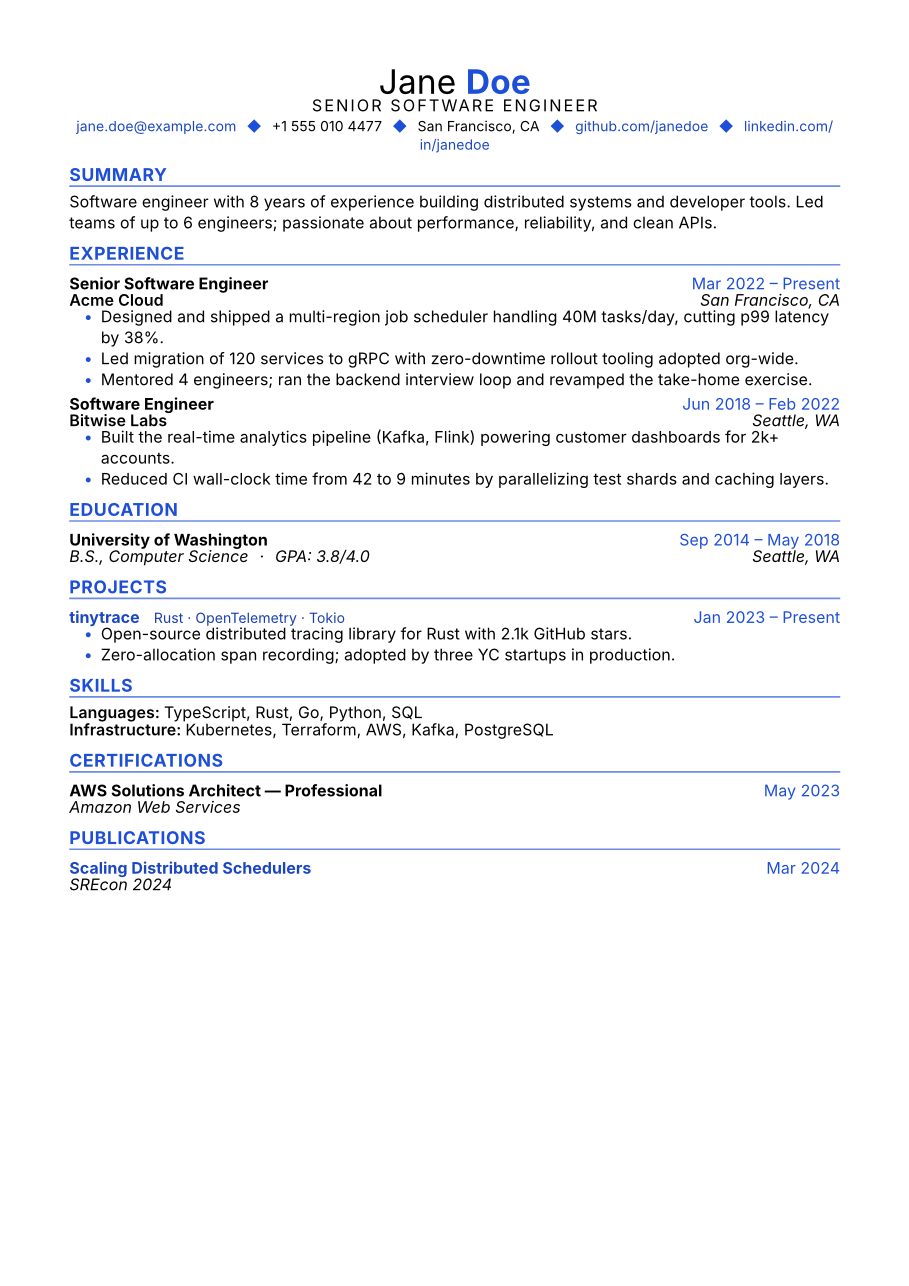
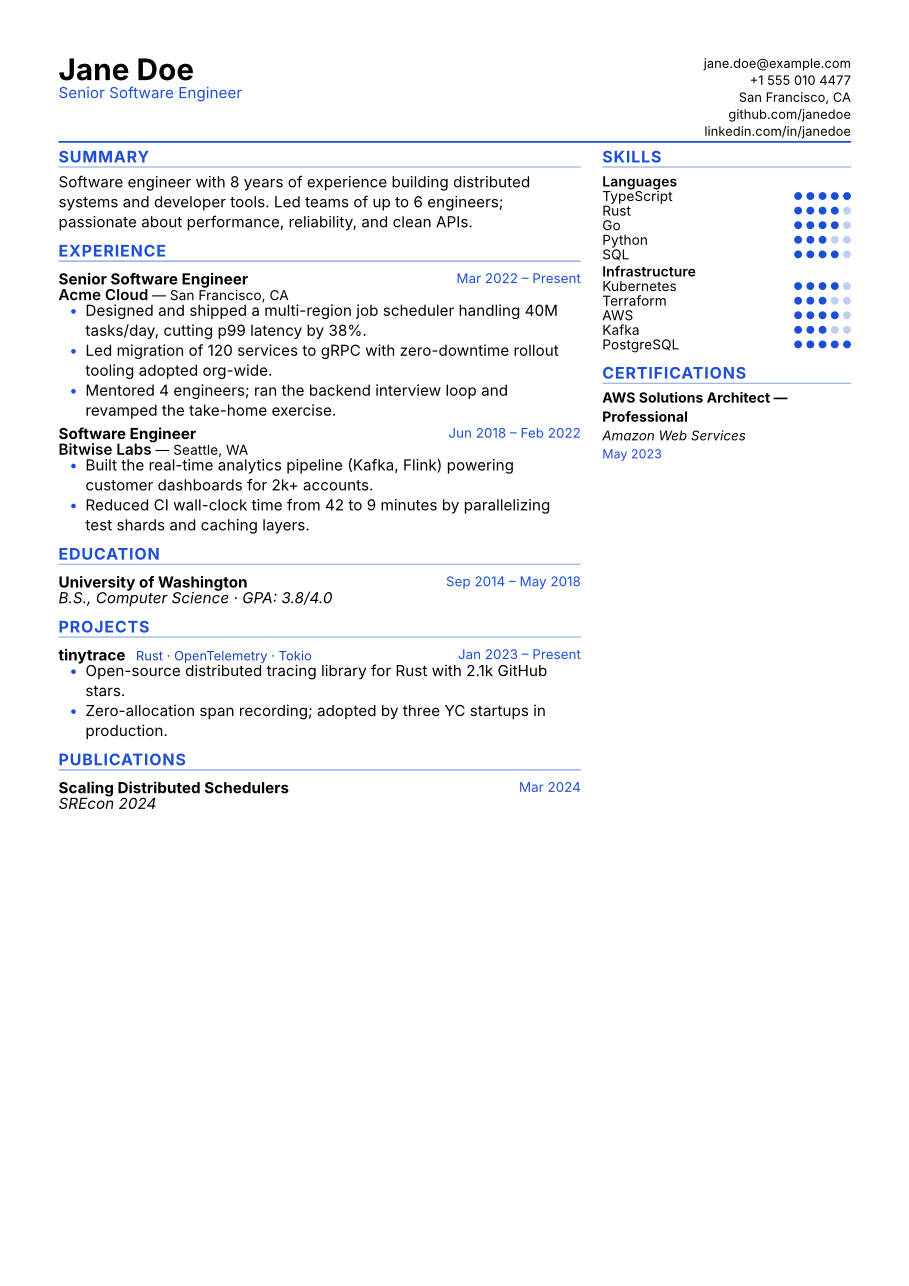
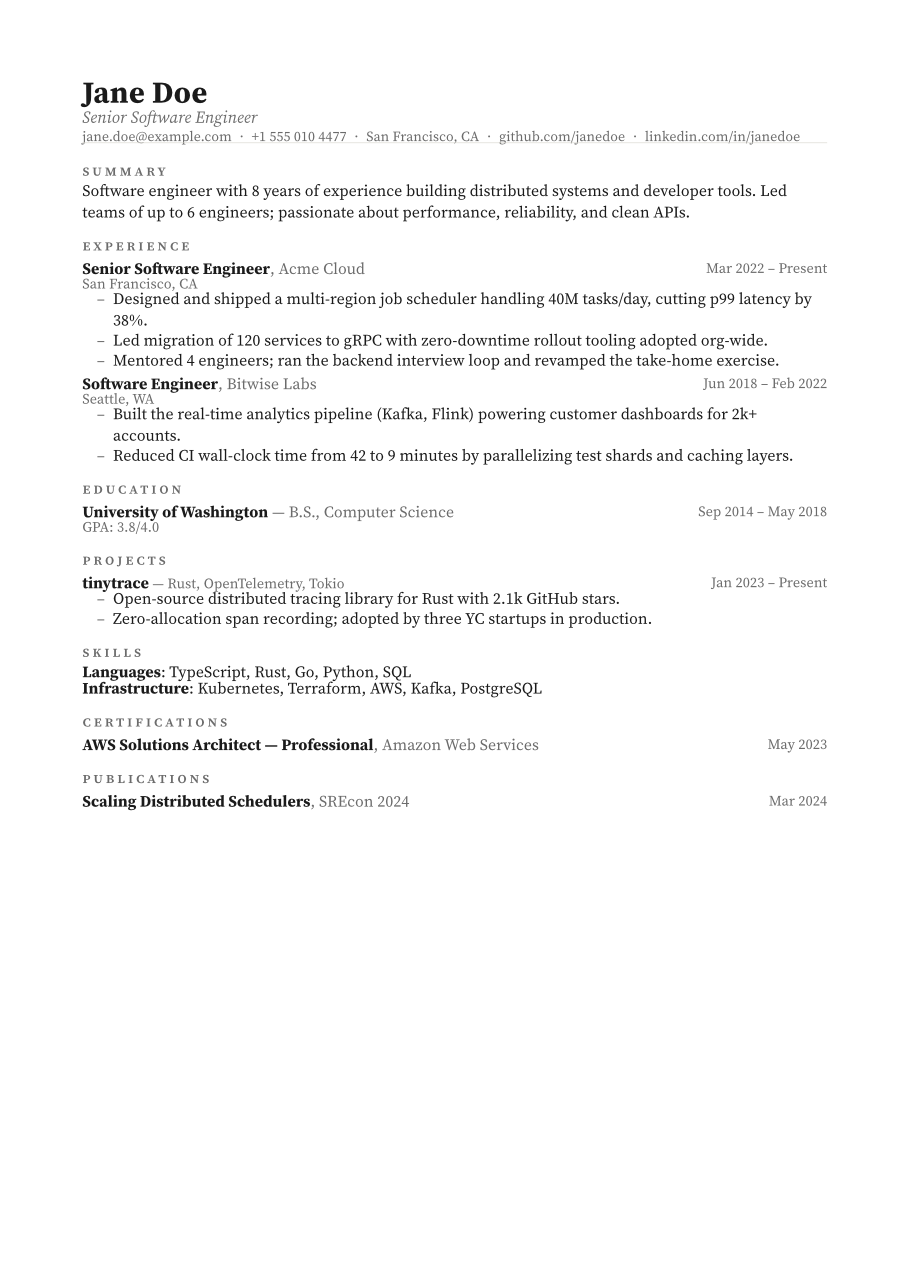
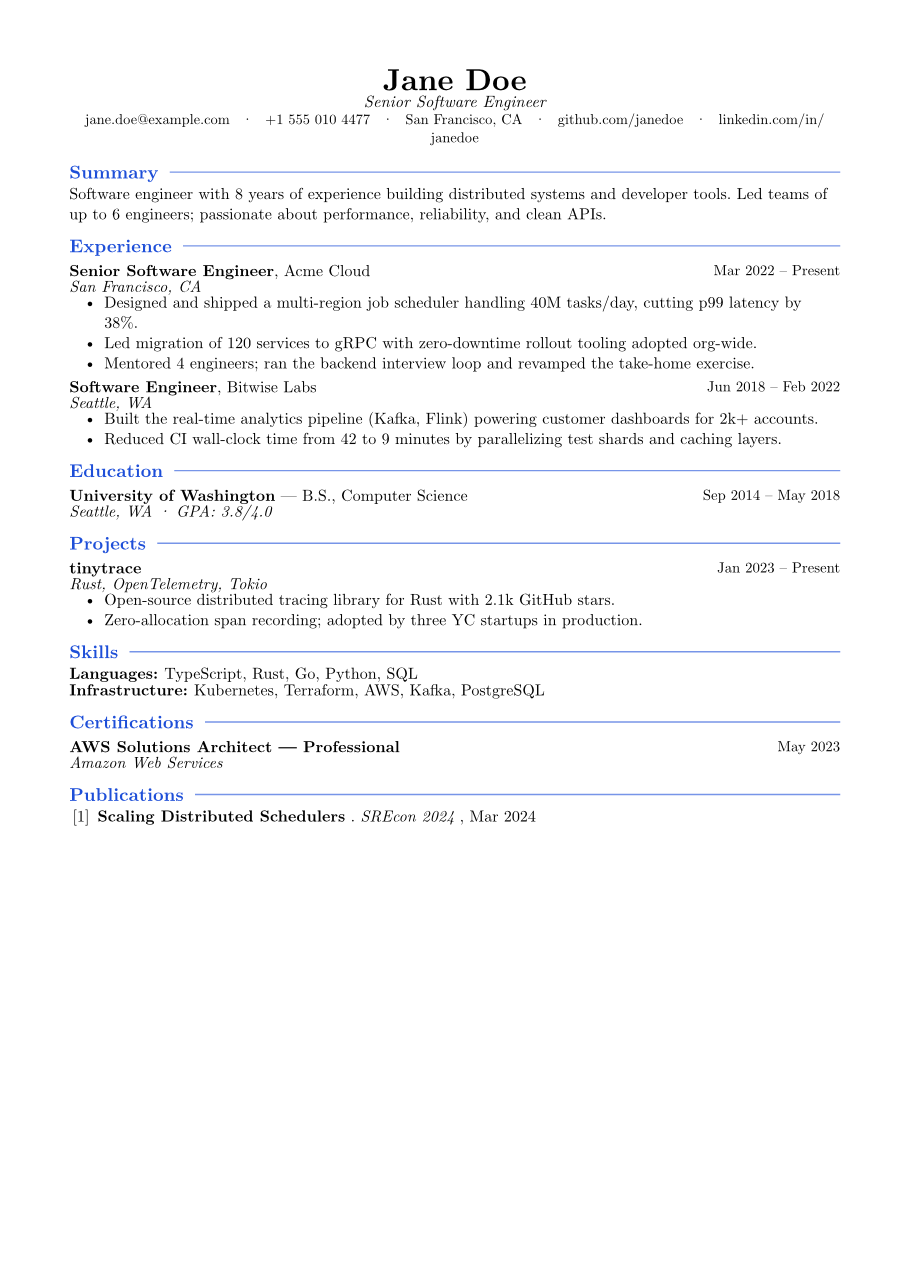
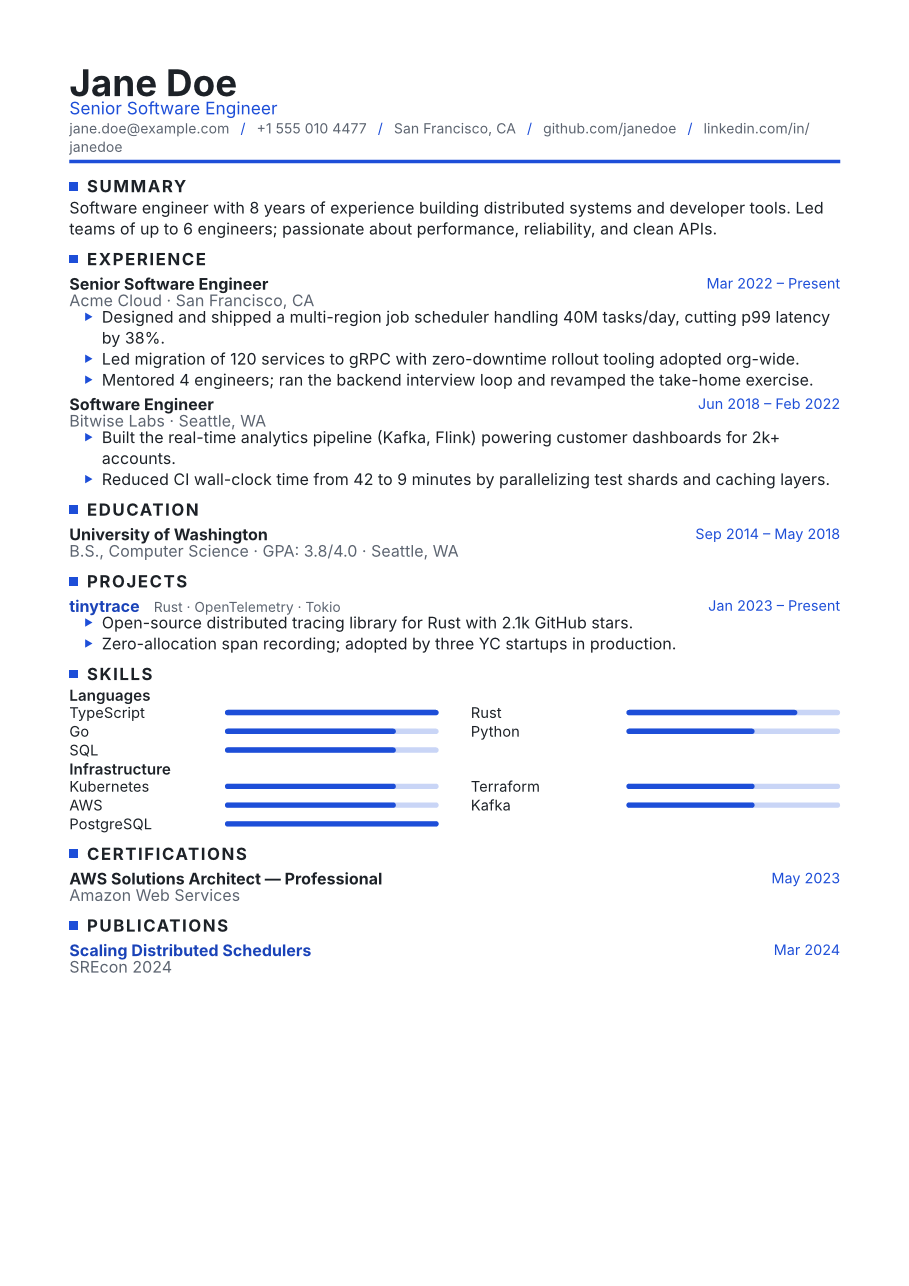
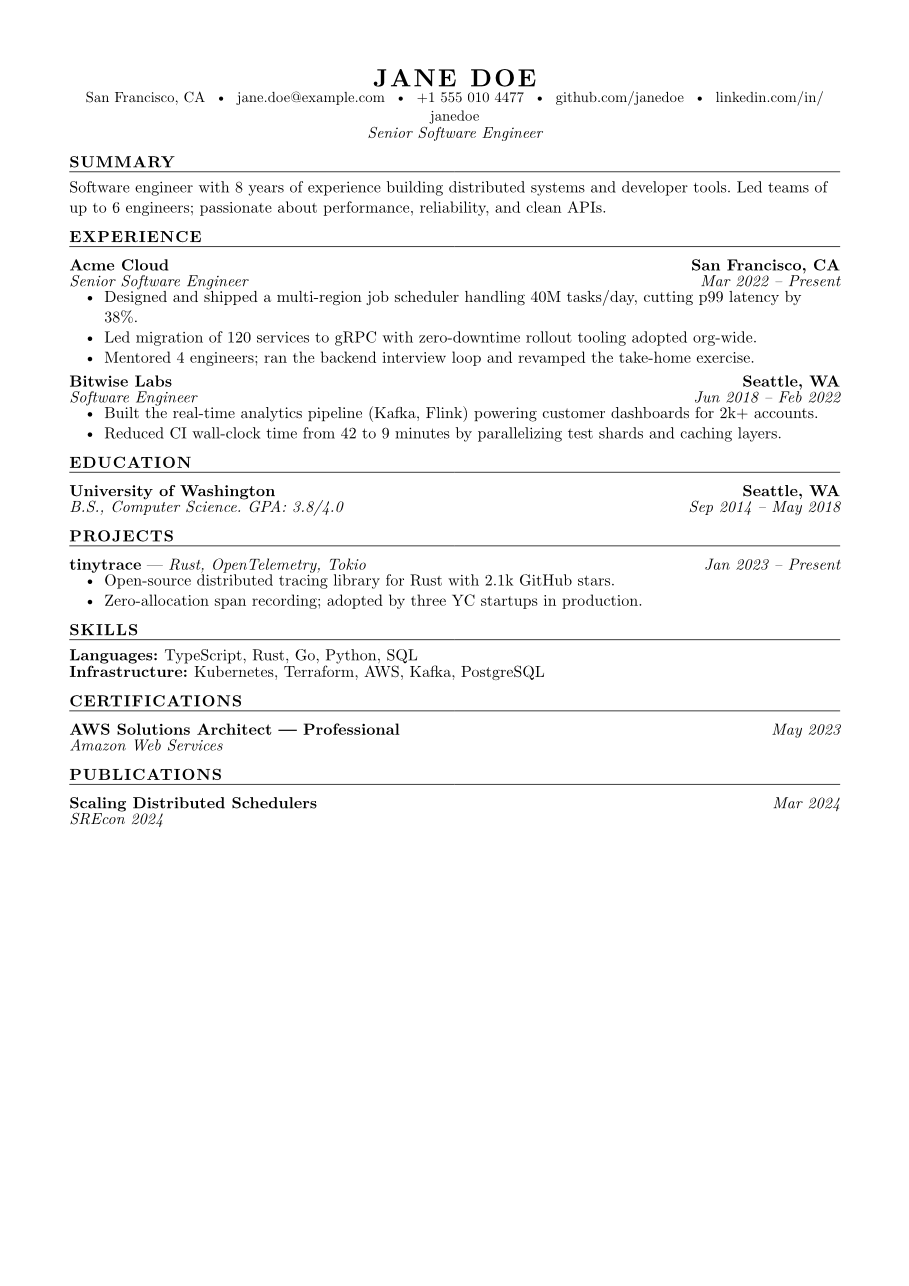
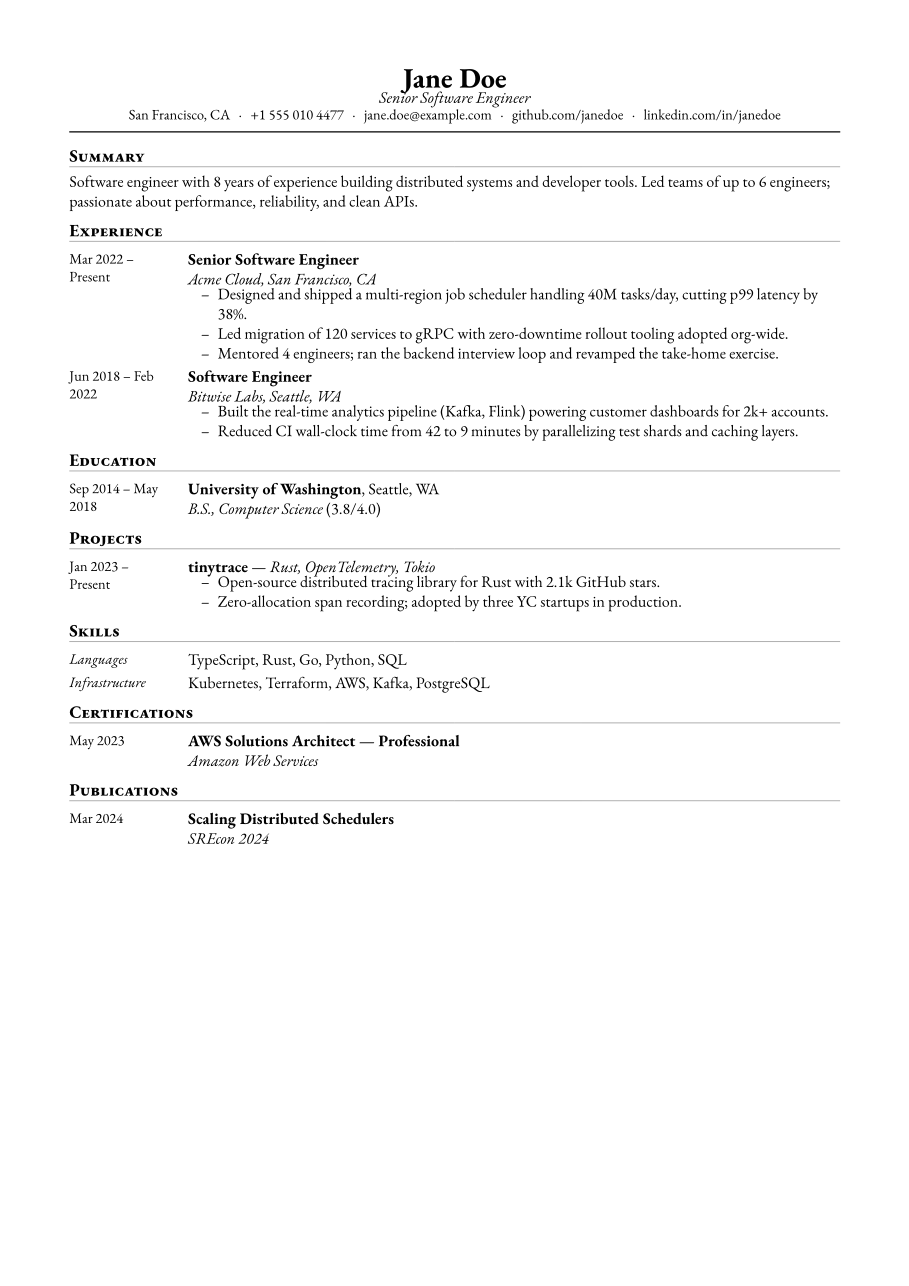
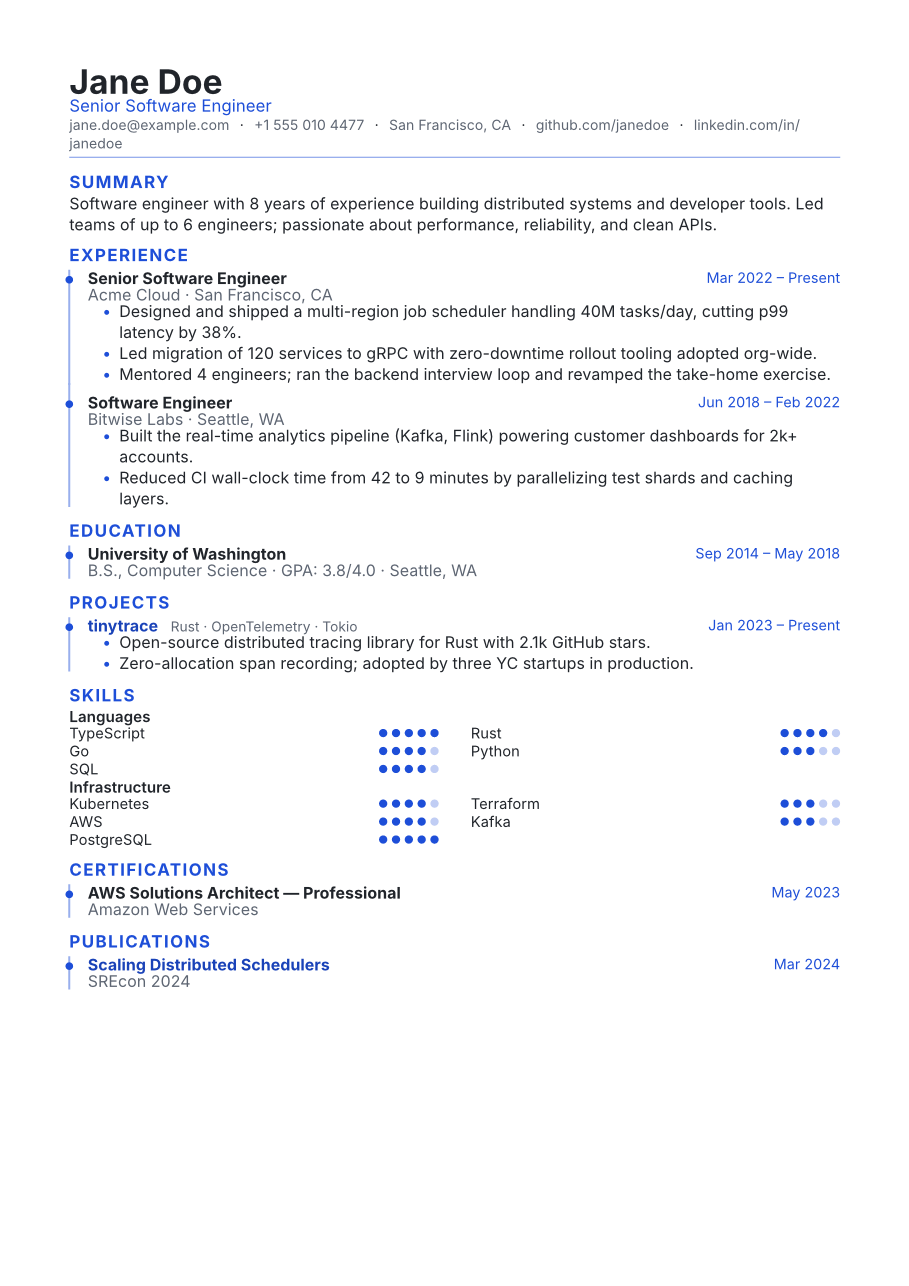
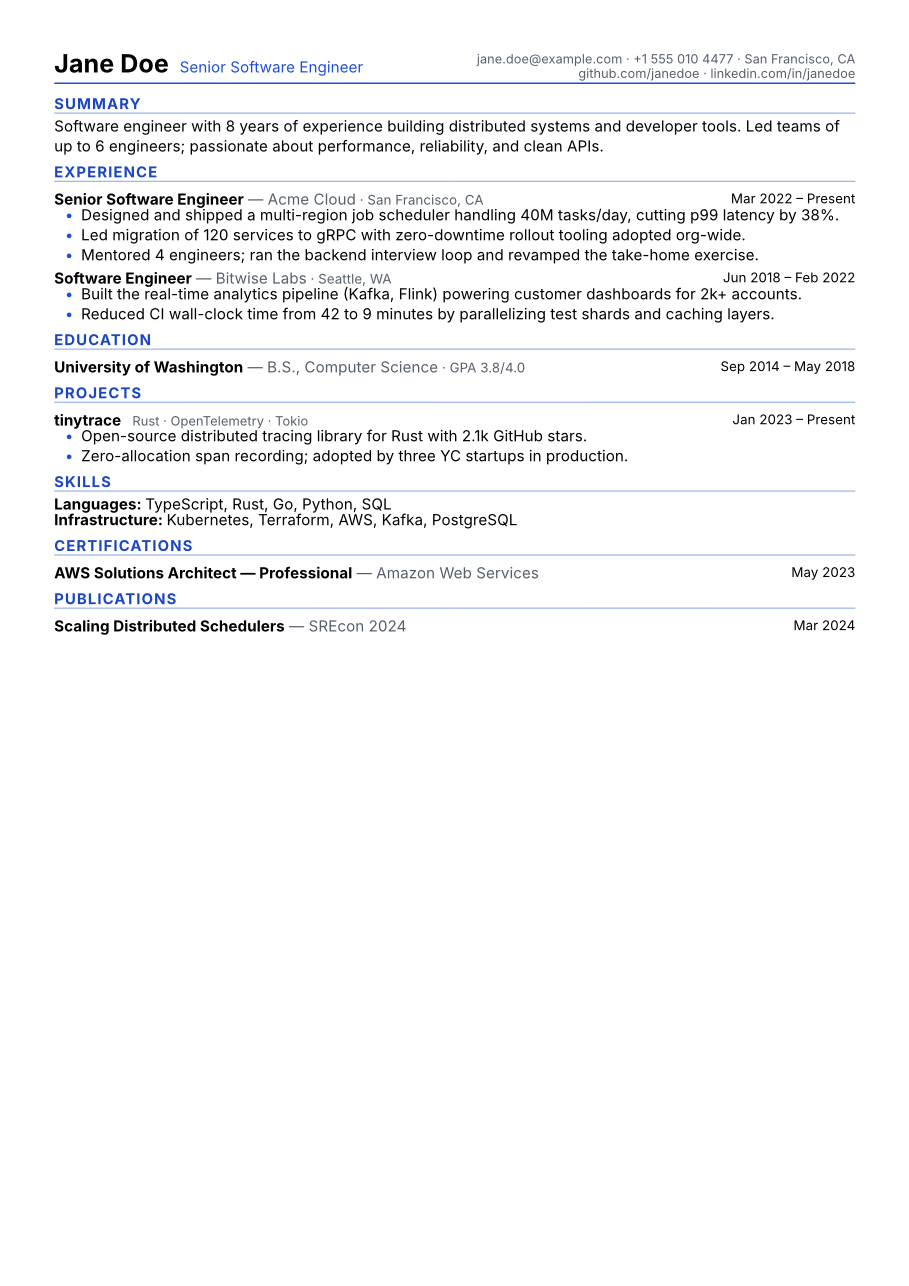
Ten free, ATS-friendly resume templates: the famous Harvard format, a proper UK-style CV, and modern layouts with skill graphs. Switch anytime; your content stays put and only the design changes.
Built to survive the ATS
Before a recruiter reads your resume, software usually does. Applicant tracking systems parse your PDF into a database. If the parsing fails, you're invisible no matter how good your experience is. We don't claim magic; we just build PDFs the way parsers need them:
- Real, selectable text: never an image of text; copy and paste it yourself to check
- Standard section headings: the “Experience” and “Education” parsers expect, not “My Journey”
- Single-column layouts by default: the format MIT's career office recommends for parsers
- Skill names stay text: even in templates with skill bars, the words remain readable
Want to check a resume you already have? Our guide shows you two free tests that take five minutes: Is my resume ATS-friendly?
What a parser sees
name: Jane Doe ✓
email: jane.doe@example.com ✓
title: Senior Software Engineer ✓
experience[0]: Acme Cloud, 2022–present ✓
experience[1]: Bitwise Labs, 2018–2022 ✓
skills: TypeScript, Rust, Go, Python, SQL ✓
Clean fields, correct order, nothing lost, because the PDF is structured text underneath.
The parts we sweat so you don't have to
Private by design
Most resume sites keep your work history on their servers. We can't. There is no server to keep it on. Everything runs in your browser tab.
Actually free
Free means free, not “free until you click download”. No trial that expires, no premium templates dangled behind a lock icon.
Typeset like a book
A real typesetting engine, the kind used for academic journals, handles the layout. Even spacing, clean line breaks, no wobbly Word margins.
One resume per job
Duplicate a resume in one click and tailor it to the posting. Recruiters can tell when you didn't. Make sure they can't tell that about you.
Design controls that behave
Accent colors, font pairs, spacing, margins. Tweak whatever you like; the layout re-typesets itself and never falls apart.
Bring your old resume
Already have a resume in another tool? Import a JSON Resume file and pick up right where you left off, here.
The fine print, compared
You've probably been burned by a "free" resume builder before. Here's exactly where we differ.
| cvbyte | Typical builders | |
|---|---|---|
| Price when you hit download | Free | Often a surprise paywall |
| Watermark on your PDF | Never | Common on free tiers |
| Account required | No | Almost always |
| Number of resumes | Unlimited | Usually 1 on free plans |
| Where your data lives | On your device | On their servers |
Know what to write, not just where
A good template won't save weak bullet points. Our guides are built from what Harvard, Yale, MIT, Stanford, and Oxford career offices actually publish, not recycled listicle advice.
How to Write a Resume in 2026: Step-by-Step Guide
A step-by-step guide to writing a resume in 2026: contact info, summary, quantified experience bullets, skills, tailoring, and formatting that gets read.
5 min read
Is My Resume ATS-Friendly? How to Check (Free Methods)
Find out what applicant tracking systems really do, which formatting breaks resume parsers, and two free tests to check if your resume is ATS-friendly.
6 min read
Resume Action Verbs That Work (And Words to Avoid)
Categorized resume action verbs for leadership, technical, communication, and analysis bullets, plus the clichés, buzzwords, and passive phrasing to cut.
5 min read
15 Common Resume Mistakes (And How to Fix Each One)
Avoid the 15 most common resume mistakes, from typos and vague duties to ATS-breaking graphics, with a concrete fix for each one, plus examples.
5 min read
Fair questions
Is cvbyte really free? What's the catch?
There's no catch. You won't hit a paywall at the download button, there's no watermark stamped on your PDF, and there's no one-resume limit. To keep it that way, we may introduce a few bloat-free ads and accept donations in the future. Building and downloading your resume stays free.
Do I need to create an account or sign up?
No. There's nothing to sign up for. Open the builder and start typing. Your work saves automatically in your own browser as you go.
Where is my resume data stored? Is it private?
Your resume data is stored only in your browser, on your device. It is never uploaded to a server; the entire app, including the PDF generation, runs locally. We collect only anonymous, aggregate usage statistics to keep the app healthy; your resume content is never part of them.
Will my resume pass ATS (applicant tracking system) scanners?
Yes. Every PDF we produce is real, selectable text rather than a picture of text, which is what ATS software needs to read your details. Most of our ten templates are single-column with standard headings, the safest layout for parsers. The couple of decorative ones carry a clear heads-up note so you can decide.
Can I import a resume I already have?
If you have a JSON Resume file (an open standard a lot of tools support), yes. Import it and keep editing. We can't read PDFs yet.
Can I make different versions for different jobs?
Please do. That's how you should be applying. Duplicate any resume in one click, tweak the copy for the posting, and keep as many versions as you want.
Your next application deserves better than a Word template
Ten minutes from blank page to a resume you're not embarrassed to send. Free, private, and no account standing in your way.